Share Your Vibe-Coded Blocks
Generate interactive eLearning components with ChatGPT or Claude, then paste them into Slate. Share with a link, or export to SCORM.
- AI code blocks on Standard and Pro
- Theme-aware, responsive components
- Ready-made prompt template included
Code blocks require a Standard or Pro plan
AI code blocks
Interactive HTML/CSS/JS components on Standard and Pro.
Full course builder
Drop vibe-coded blocks into lessons alongside native Slate blocks.
SCORM 1.2 export
Deploy to any LMS with standard packaging.
How vibe coding works
Generate interactive eLearning components in four steps.
Prompt your AI
Copy the Slate prompt template and tell ChatGPT or Claude what you want: a drag-and-drop, a calculator, a timer, a scenario.
Copy the HTML output
The AI returns a complete HTML file. Copy the entire response.
Paste into Slate
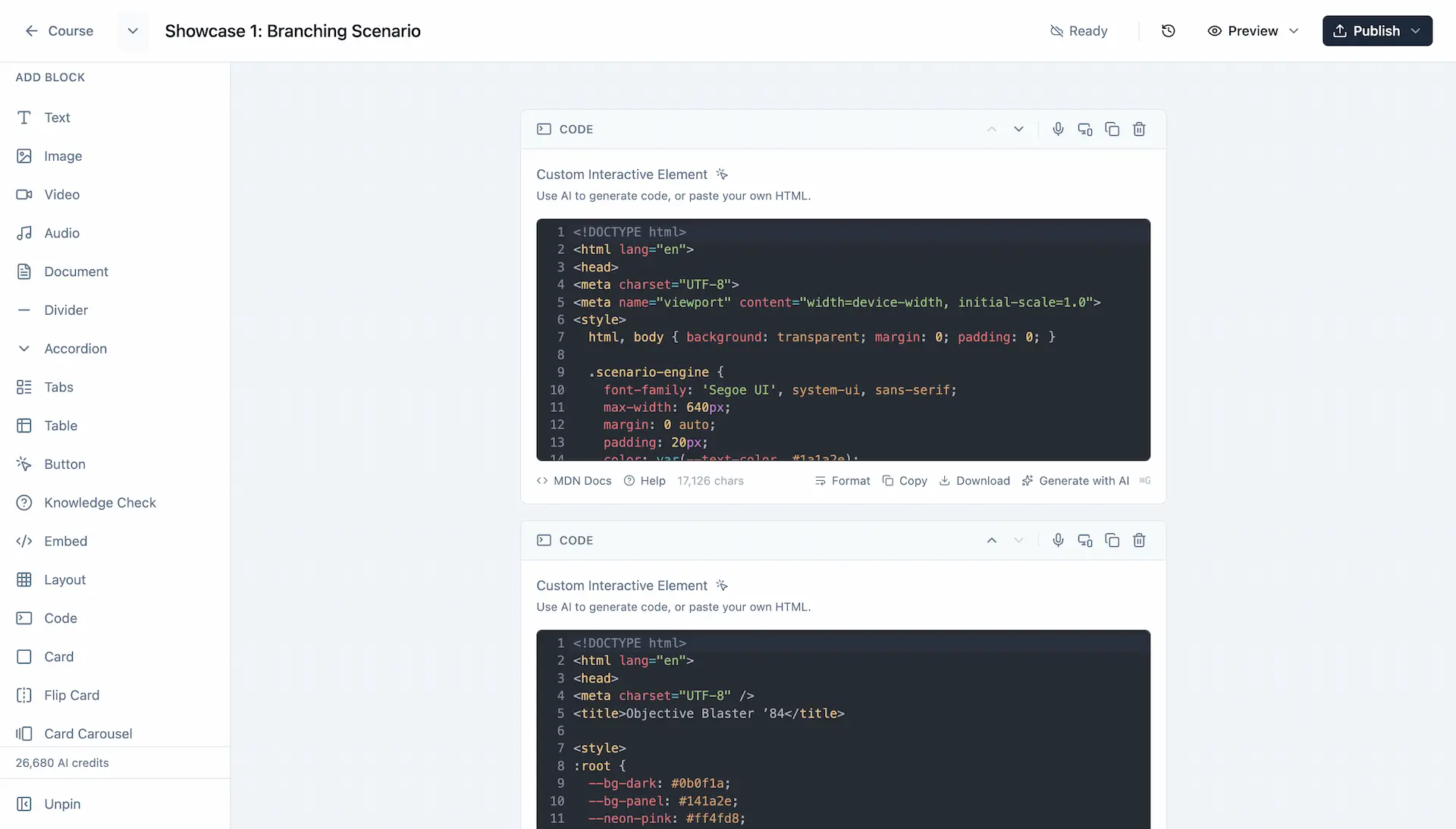
Add a Code Block to your lesson and paste. The component renders instantly.
Refine and share
Iterate with the AI until it's perfect, then share your creation with a link or export to SCORM.
The sandbox rules
Slate runs code blocks in a secure sandbox. Here's what your AI needs to know.
Container-based DOM access
Use container.querySelector() instead of document.querySelector(). The sandbox provides a scoped root element.
Classes or data-attributes, not ids
The HTML sanitizer strips ids that match window or document property names (title, name, body, location, and more), so your selectors silently break. Target elements with classes or data-* attributes instead.
No IIFEs or wrappers
Write script content as bare statements. The sandbox handles execution context.
Self-contained code
No external CDNs, fonts, or API calls. Everything must be inline.
Shadowed globals
document, window, fetch, localStorage, and the static methods on Object and Array are unavailable. Use spread, for-in loops, and instance methods instead.
Theme-aware styling
10 CSS variables automatically adapt to light/dark themes and brand colours.
Available CSS variables
Use these variables for automatic theme adaptation:
--primary-colorBrand color--hover-colorHover state color--border-radiusRounded corners--success-colorGreen for success--error-colorRed for errors--text-colorMain text (adapts to theme)--text-mutedSecondary text (adapts to theme)--bg-lightLightest background (adapts to theme)--bg-mutedMuted background (adapts to theme)--border-colorBorders (adapts to theme)The magic prompt
Copy this template and paste it into ChatGPT or Claude before describing your component.
Build a self-contained interactive HTML snippet. Build exactly what I describe at the end — do not substitute a quiz, flashcard, flip card, or any other pattern I did not ask for.

REQUIREMENTS:
- Single HTML file with embedded <style> and <script> tags
- No external dependencies (no CDNs, external fonts, or API calls)
- Use transparent background (background: transparent on html/body)
- Vanilla JavaScript only (no frameworks)

JAVASCRIPT SANDBOX:
Your JavaScript runs in a sandbox where 'document' is NOT available. Instead, use 'container' which references your element's root.

Write your <script> content as bare statements (no IIFEs or wrappers):

<script>
const btn = container.querySelector('.my-button');
if (btn) {
  btn.addEventListener('click', handleClick);
}

function handleClick() {
  container.querySelector('.result').textContent = 'Clicked!';
}
</script>

INSTEAD OF → USE:
- document.querySelector() → container.querySelector()
- document.querySelectorAll() → container.querySelectorAll()
- document.getElementById() → container.querySelector('.my-class')
- document.createElement() → cloneNode() from a template, or set .innerHTML on an element
- document.addEventListener() → container.addEventListener()

SCRIPT HOOKS — USE CLASSES OR data-* ATTRIBUTES, NEVER IDS:
The player's HTML sanitizer silently strips 'id' values that collide with window or document property names (title, name, body, head, location, cookie, domain, length, constructor, and many more). If you use one of those as an id, your querySelector('#title') will return null at runtime and the interaction will break with no error shown. Use classes or data-* attributes as script hooks instead:

HTML:  <h2 class="detail-title" data-role="title">Item</h2>
JS:    const el = container.querySelector('.detail-title');

BLOCKED GLOBALS (shadowed as undefined in the sandbox):
- document, window, parent, top, self, frames, globalThis
- localStorage, sessionStorage
- fetch, XMLHttpRequest, WebSocket, postMessage
- eval, Function constructor
- Object, Array, Proxy, Reflect — do NOT call Object.keys(), Object.assign(), Object.entries(), Array.from(), or Array.isArray(). Array/object LITERALS and instance methods (arr.map(), arr.forEach(), spread {...obj}) work fine; only the named static calls throw.

SAFE ALTERNATIVES to blocked static methods:
- Array.from(nodeList)   → [...nodeList] or nodeList.forEach(...)
- Object.keys(obj)       → for (const key in obj) { ... }
- Object.assign(a, b)    → { ...a, ...b }

AVAILABLE CSS VARIABLES (adapt to light/dark themes):
- var(--primary-color) - brand color
- var(--hover-color) - hover state
- var(--border-radius) - rounded corners
- var(--success-color) - green for success
- var(--error-color) - red for errors
- var(--text-color) - main text (adapts to theme)
- var(--text-muted) - secondary text (adapts to theme)
- var(--bg-light) - lightest background (adapts to theme)
- var(--bg-muted) - muted background (adapts to theme)
- var(--border-color) - borders (adapts to theme)

Start your response with <!DOCTYPE html> - no explanations or markdown.

MY REQUEST:
Tip: After pasting the template, add your specific request on a new line. For example: "Create a drag-and-drop matching activity with 5 terms and definitions."
Built for AI-generated code
Slate's Code Block is designed from the ground up for vibe coding.
Theme inheritance
Code blocks automatically match your course theme. Change your brand, everything updates.
Sandboxed execution
JavaScript runs in isolation. Safe for learners, safe for your LMS.
Instant render
See your component render as you paste. No build step, no waiting.
AI-ready architecture
The prompt template is designed for ChatGPT, Claude, and other LLMs.
Start sharing your vibes today.
Code blocks require a Standard or Pro plan. See pricing to get started.
Export to SCORM 1.2 · Share with a link · Works with any LMS